-
Register on the CoSec App.
-
Verify your CoSec account.
-
Log in to your CoSec account using valid credentials.
-
On the first login, the system will check whether you are associated with an organization.
-
If no organization is found, you can create a new organization.
-
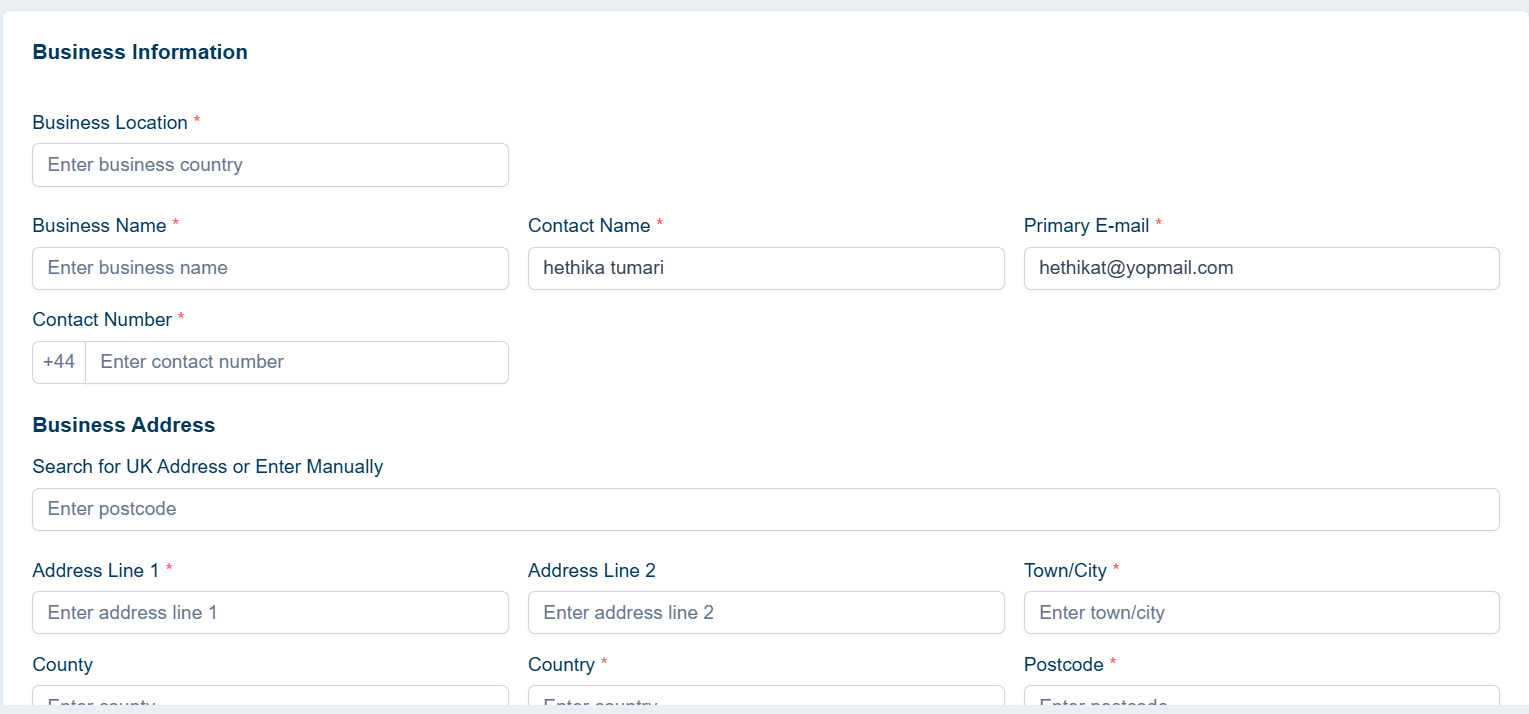
Provide the following details for your organization: Business name, contact person’s name, email address, country, telephone number, and address.
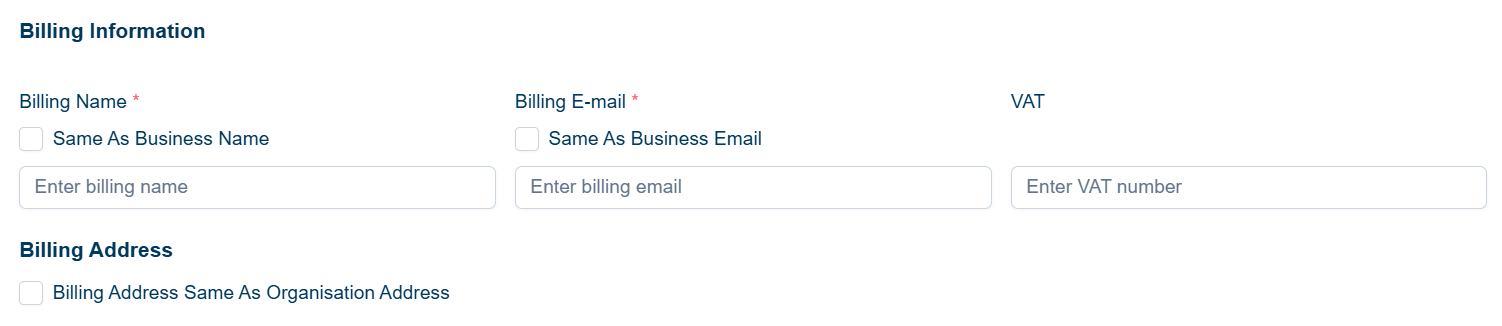
- Enter the billing details, including the billing organization name, billing contact person’s name, billing email address, billing contact number, and billing address.
- Once all the required information has been filled in, click the "Create" button to set up your organization.
