Before employees in your organization can be assigned to individual entities, they need to be added as users. By default, the user who created the organization will be the super admin of the organization, with complete access to the application.
To add a new user, follow these steps:
- Log in to CoSec App by visiting Login | CoSec App - Company Secretarial Services.
- Click on the Settings icon located in the top navigation panel near your user profile.
- Navigate to the Users Tab.
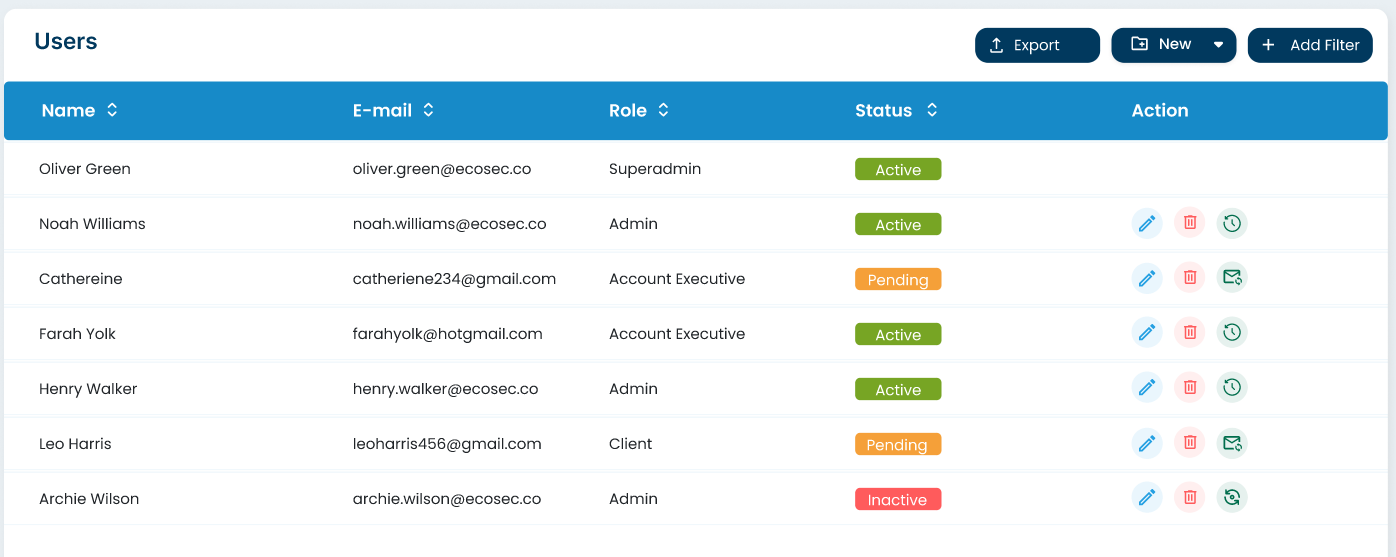
- Click on the "Invite user" button to create a new user.
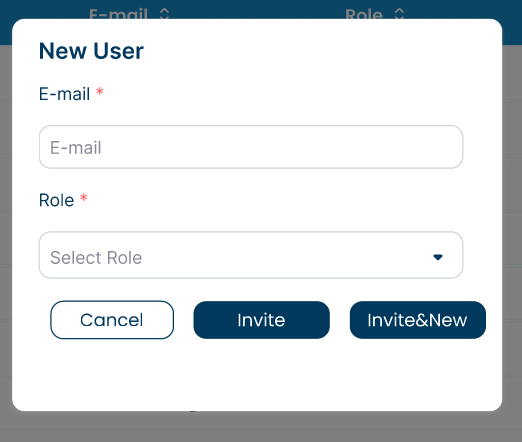
- Provide a unique email id.
- Assign the appropriate role to the user, which determines the level of permissions and visible actions.
- Click on the "Invite" button to save the user. An email will be sent to the user.
