To notify Companies House about the appointment of a corporate secretary, the company must provide the following details about the corporate entity:
- Name
- Registered or principal office address
- Country of registration and registration number
- Name of the person completing the application on behalf of the corporate secretary
- Indication of EEA status – Specify whether the corporate secretary is an EEA organisation or not
- For non-EEA corporate secretary, provide the legal form and governing law
This information must be submitted using form AP04.
To appoint a corporate secretary [AP04], follow these steps:
- Navigate to the entity for which you wish to appoint a Corporate Secretary.
- Go to the officer's page of that entity and click "New".
- Select the Corporate Secretary role to generate the AP04 form.
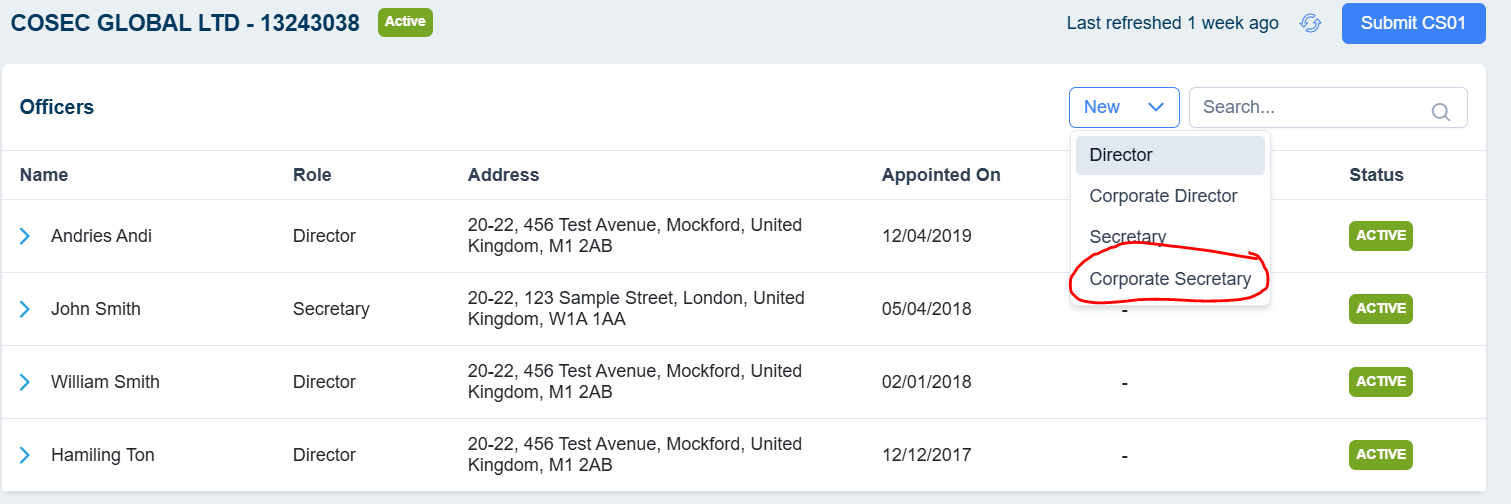
- If the corporate secretary already exists in your entities list, select the respective entity. This will auto-fill details such as Entity Name, Entity Number, and Service Address. You can modify these details if necessary.
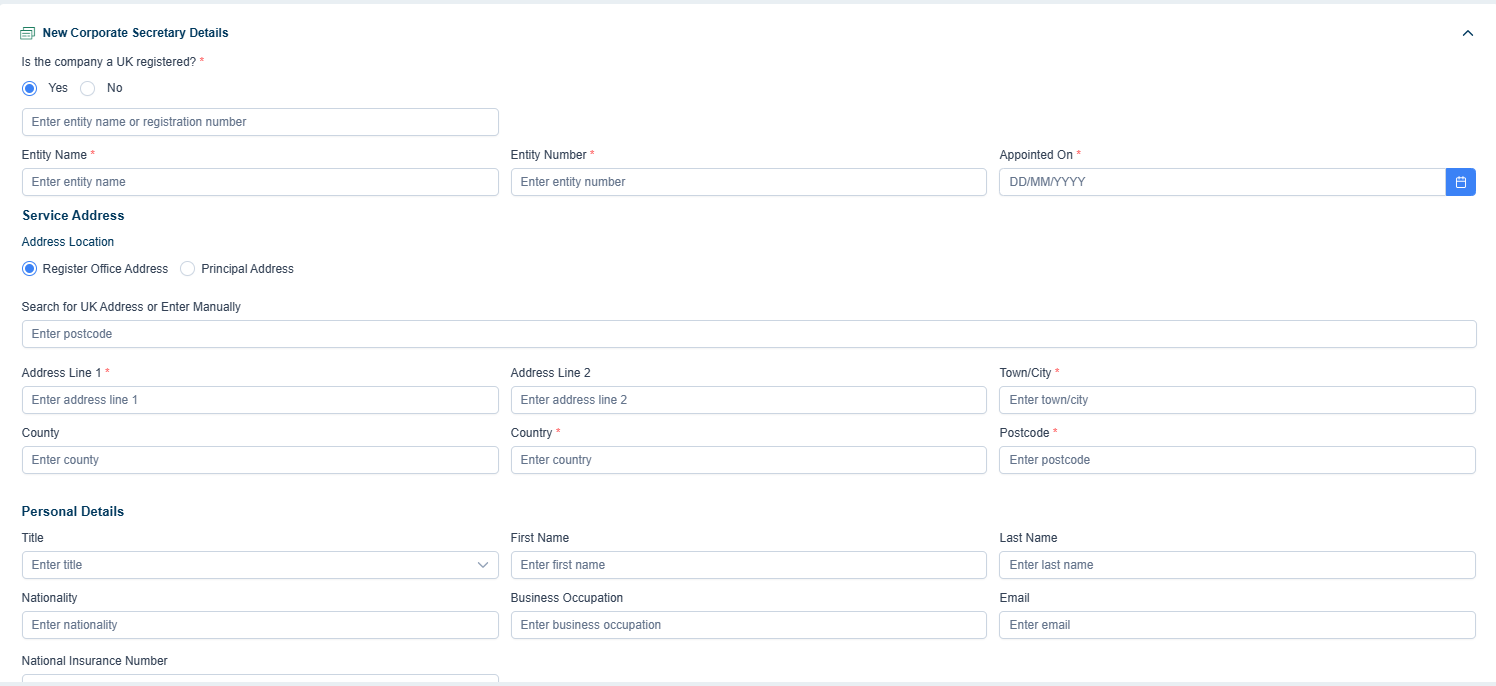
- If the entity is not listed, manually enter the required details.
- Enable the "Consent to Act" option to authorise the submitted details with Companies House.
- Provide the personal details of the individual acting as a representative for the corporate secretary, including their name, email, and contact number.
- Click "Save" to proceed to the next step.
Generating matching documents to Appoint a Director
After filling out the new address details, click on the Generate button to view a list of documents required for the AP04 form.
Select the desired documents and click Generate. You can also upload any additional required documents.
- Digital Signature (If required)
Select the signers and send the document for digital signing.
Track the document to see whether it got signed or not.
-
Internal Approval
If the form requires internal approval, set up the approval process and send it for review.
Until the form is reviewed, it is unable to be submitted for the CH.
- Post Submission
· Once submitted, Cosec will send you a confirmation.
· After Companies House accepts the form, you will receive an acknowledgment from Cosec confirming the successful submission.
How to appoint a director [AP01] in CoSec App?
